Small Business Search Guide
How Does Google Find and Index a New Business Website?
Publishing a website makes it available on the internet. It does not mean every page instantly appears in Google. Google first needs to discover the page, access it, process its information and decide whether to include it in its search index.
Google can discover website pages through links and sitemaps. It can then crawl accessible pages, analyze their content and, when appropriate, add them to Google’s index. Search Console helps website owners monitor and troubleshoot that process.
Publishing Is the Beginning
A live website and an indexed website are not the same thing.
When a new website goes live, a customer who knows the exact web address can visit it immediately.
Google works differently.
Before a page can normally become eligible to appear through Google’s search index, Google needs to know that the URL exists and process it.
That process is easier to understand when we separate three ideas that are often treated as if they mean the same thing: discovery, crawling and indexing.
Getting a page indexed means Google has processed it for its index. It does not mean the page will rank highly—or even appear for the particular searches a business wants to target.
The Basic Process
Discovery. Crawling. Indexing.
These stages explain, at a high level, how a new website goes from existing on the internet to potentially becoming part of Google Search.
Discovery
Google first needs to learn that a URL exists. Links from known pages and submitted sitemaps are two important ways URLs can be discovered.
Crawling
Google’s crawler can visit an accessible URL and retrieve information from the page. Technical restrictions can prevent or interfere with this step.
Indexing
Google analyzes information about the page and may store the page in its index, making it eligible to appear in Google Search when appropriate.
Step One
How does Google discover a new page?
Google cannot crawl a page it does not know exists.
For a small-business website, two of the most important discovery paths are links and a sitemap.
This is also why website architecture matters. Pages should not exist as isolated URLs that cannot be reached through the site’s normal navigation or internal links.
Links between pages help visitors navigate the site and provide paths through which crawlers can discover related URLs.
Google may encounter a new website or page by following a link from another page it already knows about.
A sitemap is a file that identifies URLs a website wants search engines to know about. Many website platforms and SEO tools generate one automatically.
Website owners can submit a sitemap and inspect individual URLs in Google Search Console, giving them tools to monitor discovery and indexing.
Clear Information Helps
Discovery is only the first part of being understood.
Once a search system reaches a website, the information it encounters matters.
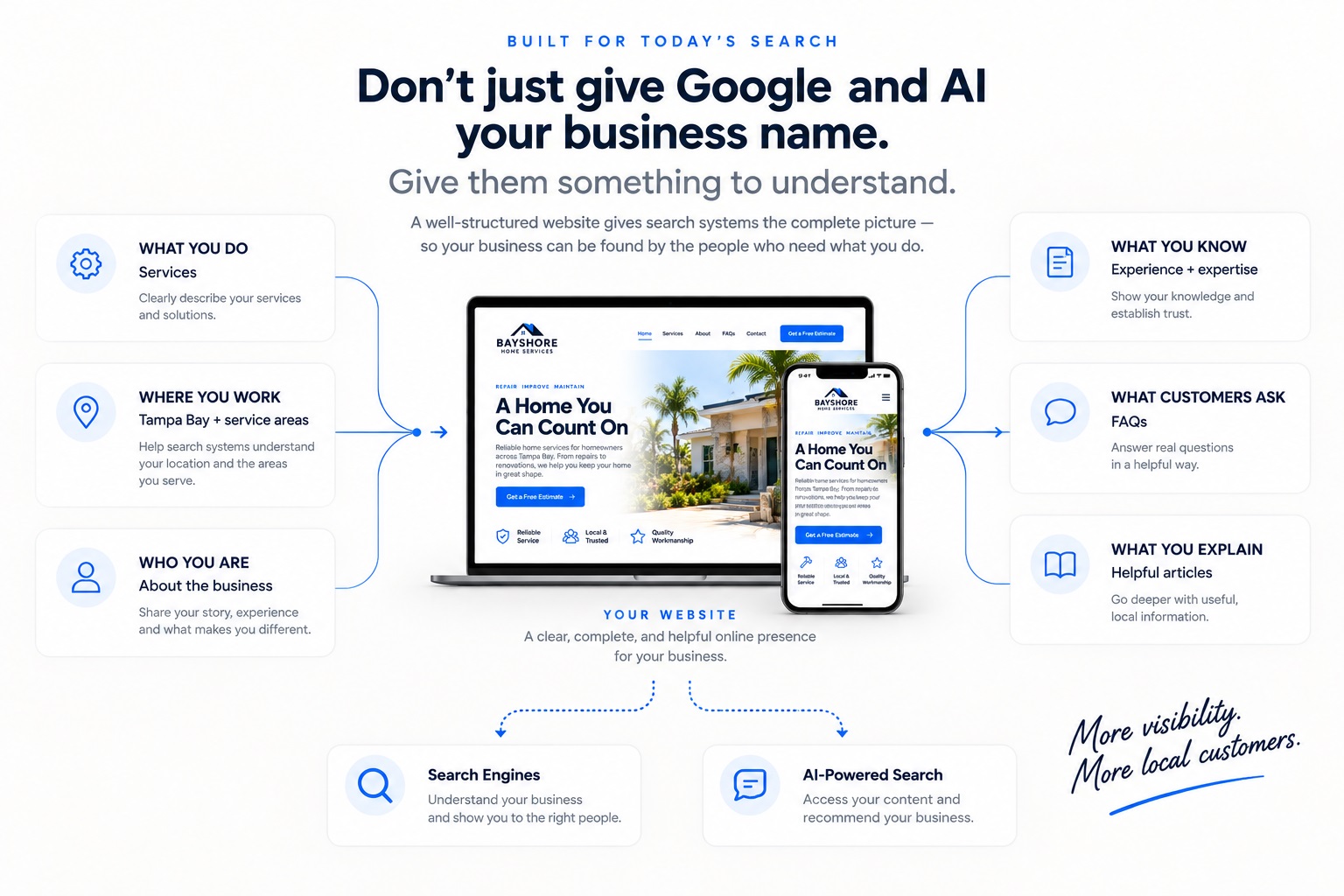
Clear business details, services, geographic context, logical headings and useful supporting content provide better material for understanding what the website represents.
That does not guarantee visibility. It creates a clearer information foundation.
Step Two
Google has found the URL. Can it actually access the page?
Discovery does not automatically mean successful crawling.
Googlebot needs to be able to access the page and retrieve its information. Technical settings can intentionally or accidentally interfere with that process.
Robots.txt can restrict crawler access to parts of a site. Blocking an important public page accidentally can interfere with crawling.
A noindex directive tells Google not to include a page in its search index. This can be useful for some pages and a problem when accidentally applied to important public content.
Pages that require credentials or otherwise prevent Google from accessing them cannot be treated like ordinary public website pages.
Broken URLs, server errors and other technical problems can prevent successful retrieval.
Step Three
Crawled does not automatically mean indexed.
After Google retrieves a page, it can analyze the page and its information. Google then determines whether the URL should be included in its index.
This is why the words crawled and indexed should not be used interchangeably.
Google accessed the page.
Googlebot was able to retrieve information from the URL.
That alone does not establish that the page has been added to Google’s index.
Google added the page to its index.
An indexed page can be eligible to appear in Google Search, subject to Google’s systems and policies.
Indexing is still not a promise of a particular ranking or search appearance.
Discovery tells Google the page exists. Crawling lets Google retrieve it. Indexing makes the page eligible to participate in Google’s search index.
Google Search Console
Search Console gives the business a window into the process.
Google Search Console is a free Google service that helps website owners monitor and troubleshoot how Google interacts with their site.
Search Console’s Sitemaps report can be used to tell Google about a sitemap and monitor whether Google can read it.
The URL Inspection tool shows information about a specific URL and can help determine whether Google knows about the page and whether indexing problems exist.
URL Inspection can test a live URL to help determine whether Google can currently access it.
For an individual new or updated page, the URL Inspection tool can be used to request indexing. This is a request to Google—not a guarantee that the URL will be indexed.
Search Console also provides information about how a site is appearing in Google Search, including queries, impressions and clicks.
What Does a Sitemap Do?
A sitemap helps identify the pages you want search engines to know about.
An XML sitemap is not a visual page created for customers. It is a machine-readable file that lists URLs and can provide search engines with information about important website content.
Many modern content-management systems and SEO plugins create sitemaps automatically.
A sitemap can help discovery, particularly when a website is new or contains pages that have not yet been encountered through other paths.
But submitting a URL in a sitemap does not force Google to crawl, index or rank that page.
A sitemap helps Google learn about URLs. It is not a form that reserves a position in search results.
How Long Does It Take?
Indexing is not instant.
A newly published page can take time to be discovered, crawled and indexed.
Google specifically cautions website owners not to expect immediate indexing, even when a crawl or indexing request has been submitted.
Instead of assuming something is broken immediately, use Search Console to determine what Google actually knows about the URL.
Not “Why am I not ranking yet?” but first: “Has Google discovered, crawled and indexed the page?”
Troubleshooting
Why might an important page not be indexed?
A missing page does not always indicate the same problem. Search Console’s URL Inspection tool is useful because it can help identify what is happening with a specific URL.
A new URL may not have been discovered. Make sure it is linked appropriately and included in the site’s sitemap when applicable.
A robots.txt rule or another access restriction may prevent Google from retrieving the page.
A noindex directive can explicitly tell Google not to index the URL.
When a URL redirects elsewhere, Google may index the destination rather than the redirecting URL.
Duplicate or substantially overlapping URLs can result in Google selecting another URL as the canonical version.
Discovery and crawling do not guarantee indexing. Google does not promise to index every URL it encounters.
Indexing vs. Ranking
Getting into Google’s index is not the finish line.
This is one of the most important distinctions for a small business to understand.
Indexing means the page can be eligible to appear. Ranking determines where—or whether—it appears for a particular search.
A new website can therefore be indexed correctly without ranking prominently for competitive searches.
Search visibility depends on far more than submitting a sitemap or pressing “Request Indexing.” The relevance and usefulness of the information, the search itself, the market, competition and Google’s systems all play roles in what a searcher sees.
Search Console helps Google discover and process website information and helps owners diagnose problems. It does not provide a button that makes a business rank at the top of Google.
New Website Checklist
What should happen when a new business website launches?
- Confirm the public website is accessible without login restrictions.
- Make sure important pages are not accidentally set to noindex.
- Confirm important pages are linked through the website’s navigation or internal links.
- Make sure the XML sitemap contains the appropriate public URLs.
- Set up and verify the website in Google Search Console.
- Submit or confirm the sitemap in Search Console where appropriate.
- Inspect the homepage and other important URLs.
- Request indexing for important new or substantially updated pages when useful.
- Monitor Search Console for indexing problems.
- Confirm the website’s page titles, headings and business information are accurate.
- Maintain logical internal links as new pages and articles are added.
- Remember that indexing and ranking are separate objectives.
The Get Social Simple Approach
Launch the website with the search foundation connected.
A professional website should not simply be published and forgotten.
Get Social Simple includes the foundational Google setup needed to give the business a clearer starting point for discovery and measurement.
Google Indexing FAQ
Common questions from small-business owners.
How does Google find a new website?
Google can discover URLs by following links from pages it already knows about and through sitemaps. Website owners can also use Google Search Console to submit a sitemap and request indexing for individual URLs.
Does submitting a sitemap guarantee Google will index my website?
No. A sitemap helps Google discover URLs that the website wants it to know about, but Google does not guarantee that every submitted URL will be crawled or indexed.
How long does Google take to index a new website?
There is no guaranteed indexing time. New pages can take time to be discovered, crawled and indexed, and Google specifically notes that indexing is not instant even when an indexing request is submitted. Search Console can be used to check the status of important URLs.
What is Google Search Console?
Google Search Console is a free Google service that helps website owners monitor and troubleshoot their site’s presence in Google Search. It includes tools for URL inspection, sitemap submission, indexing information and search-performance reporting.
What is the difference between crawling and indexing?
Crawling means Google accessed a page and retrieved information from it. Indexing means Google processed the page and added it to its search index. A page can be crawled without ultimately being indexed.
If my website is indexed, will it rank on Google?
Indexing makes a page eligible to appear in Google Search when appropriate. It does not guarantee that the page will appear for a particular query or rank in a particular position.
Do I need to request indexing every time I publish something?
Not necessarily. Google can discover new URLs through normal crawling and sitemaps. URL Inspection’s indexing request is useful for important individual pages, but it should not be treated as a required publishing button for every piece of content.
Why would Google know about a page but not index it?
There are several possible reasons, including technical restrictions, duplicate or canonical issues, redirects or Google’s decision not to index the URL. Search Console’s URL Inspection tool can provide information about a specific page.
Start With a Stronger Search Foundation
Build the website. Make the business clear. Connect the tools that help you understand what happens next.
Get Social Simple builds professional small-business websites with clear business information, modern search structure, Google Search Console setup, Google Analytics and an easier path for potential customers to understand, trust and contact the business.